Introduction
The DKI (Dynamic Keyword Insertion) WordPress plugin helps to personalize content easily, which is one of the essential trends of digital marketing today. DKI changes on-page text dynamically, depending on which keywords show up in URL, ads, or campaign parameters, thus ensuring a strong message consistency between PPC ads and landing pages and enhancing the relevance, interaction, and conversions without the need for monotonous static content.
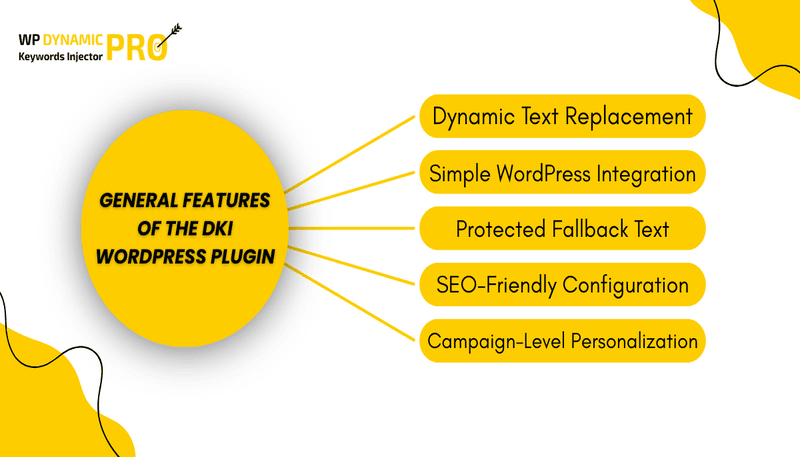
General Features of the DKI WordPress Plugin
1. Dynamic Text Replacement
It works by replacing some predefined text with keywords from URL parameters and ensuring the content is resolutely and usefully displayed to the browser due to the user’s search intent.
2. Simple WordPress Integration
Setting up the plugin is easy and doesn’t require any coding skills. It works seamlessly with most themes, Gutenberg, Elementor, and almost all other page builders. Integration is quick and hassle-free.
3. Protected Fallback Text
If a dynamic change fails for any reason, the plugin automatically shows the default text. This prevents broken layouts or missing content on your landing pages.
4. SEO-Friendly Configuration
WPDKI Pro lets you use dynamic content in a way that: Helps your pages rank better in search engines. Doesn’t hurt your page’s performance or conversions. In short, your content can be SEO-friendly and effective for users at the same time, which is especially important for paid ads and landing pages.
5. Personalization at the Campaign Level
Use dynamic parameters to tailor headlines, calls-to-action (CTAs), and other content to match the specific ad campaign or social media promotion. Each visitor sees content relevant to the campaign that brought them to your site.
How to Do When Getting Started with the DKI WordPress Plugin (Step-by-Step Guide)
DKI (Dynamic Keyword Insertion) WordPress Plugin is very easy to use and does not require any technical knowledge.
Step 1: Install and Activate the Plugin
- Login to your WordPress Dashboard
- Go to Plugins → Add New
- Search for WP Dynamic Keywords Injector
- Click Install Now and then Activate
Step 2: Add DKI Shortcode
After activation, the DKI shortcode should be placed in any content where you would like dynamic text to be displayed: headings, paragraphs, buttons, etc.
Example Shortcode:
This default text gets displayed in case no keyword gets passed through the URL.
Step 3: Using URL Parameters
To display dynamic content, parameters must be added to the page URL.
For example:
If this parameter with the keyword value is available, the page displays SEO Services instead of default text dynamically.
Step 4: Dynamic Page Title and Meta Titles
You can also dynamically change page titles and meta titles via URL parameters.
Example:
Change page title:
Change meta title:
Step 5: Test and Optimize
Open your page with different URL parameters and check that the content updates correctly. Keep fallback/default text on all pages in all cases to avoid broken or incomplete sentences
Suggestions & Best Practices for Getting the Most Out of the DKI WordPress Plugin
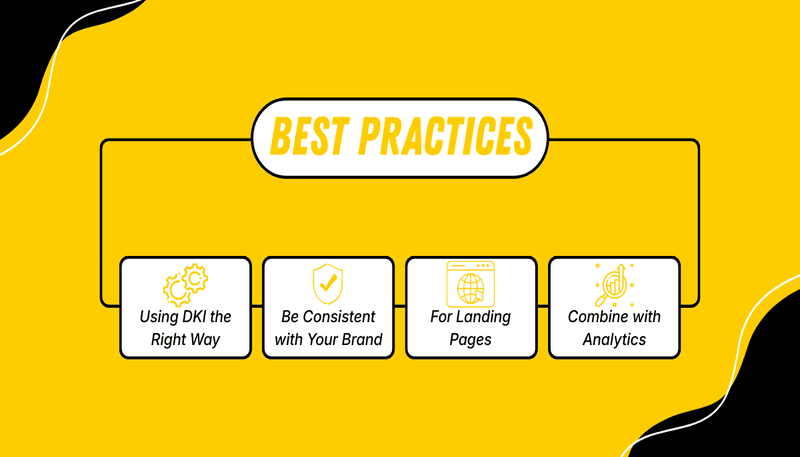
Don’t Overuse It
One shall not overuse dynamic text throughout the visitors’ journey pages. Only highlighted areas in which DKI should be employed are:
- Headlines
- Call to Action Buttons
- Key Benefits
Be Consistent with Your Brand
Please make sure that viable fallback text is used every time so that you maintain a degree of professionalism.
Combine with Analytics
Time to measure conversions in-page!
For Landing Page
The DKI WordPress plugin is helpful for anyone who wants to create amazing web pages that are different from regular blog posts.
The Page Shows No Dynamic Text
- Check and see if the URL parameters are correctly formatted.
- Consult if the plugin is on and activated.
SEO Risks
Dynamic keyword insertion should not be used to index content but is best used for paid traffic campaigns and more controlled campaigns.
Compatibility
Keep your theme in support of the plugin shortcode or dynamic blocks; otherwise, the plugin will not work with your website.
Site Speed Impact
Using dynamic text only a little won’t slow down your site. Make sure to use clear headings, strong hero sections, and noticeable CTAs to keep your pages fast and effective.
Digital marketing is fast-growing, and personalization is no longer optional—it’s essential. When done right, it can turn user interest into meaningful action. On WordPress, dynamic keyword insertion shows its true power: adapting to user behavior and improving over time. Used wisely with scripts, cookies, and tracking, it creates smarter, faster, and more responsive pages. In today’s competitive digital world, personalization isn’t just an advantage—it’s a must for better user experience and marketing results.
Install a DKI WordPress plugin today and start delivering content that truly speaks to your audience.